Leftovers app icon: a memory pressure dial

Clean up what your apps and agents left running.

A free, open-source menu-bar app for macOS. It finds the dev servers, MCP servers and leaked helpers still holding memory, and quits them safely.

macOS 14 or later · Apple silicon and Intel · Signed and notarized · MIT license

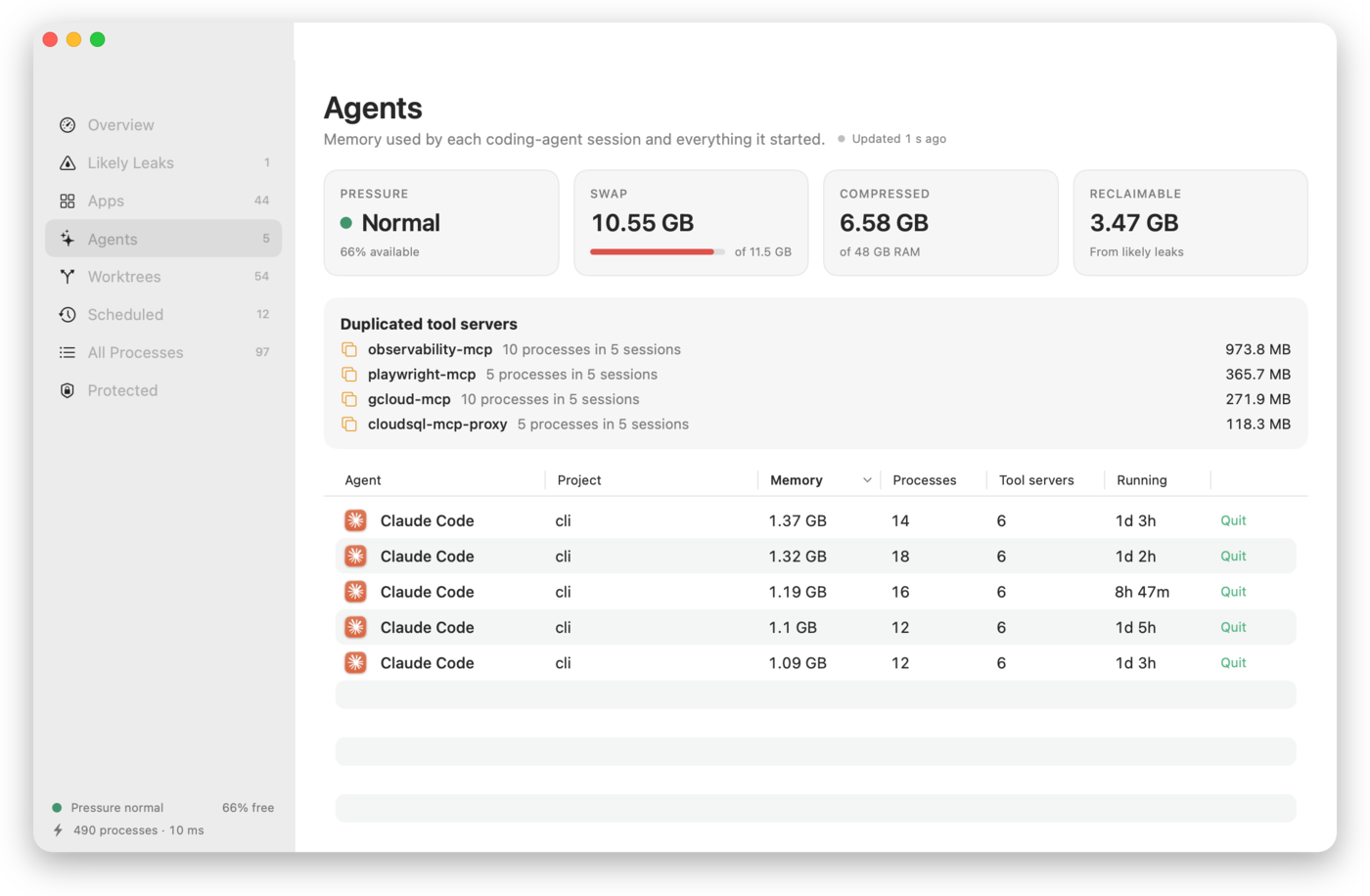
Leftovers showing memory used by each coding-agent session and the MCP servers they duplicate

Your Mac is slow, and nothing tells you why.

Activity Monitor sorts by memory in RAM. The memory that is actually lost is somewhere else.

Leaks hide in swap

59 GB held by a helper showing 7 MB

A video encoder leaked for four days. Almost all of it had been pushed to swap, so it barely showed up. Leftovers measures the full footprint: RAM, compressed and swapped.

Agents leave a mess behind

3.9 GB of duplicate MCP servers

Twelve Claude Code sessions each started their own copy of the same four MCP servers. Dev servers kept running days after their terminal closed.

Cleaning up shouldn't be risky

0 macOS processes ever quit

Leftovers never touches system or root processes. It asks before quitting anything, and checks a process is still the same one before it sends a signal.

Like kids running through the house.

Each coding agent grabs something, sets up, and runs off to the next thing. The blocks, the plate and the shoes stay where they were dropped. On a Mac, those are dev servers, builds and MCP servers, and they keep holding memory until someone picks them up.
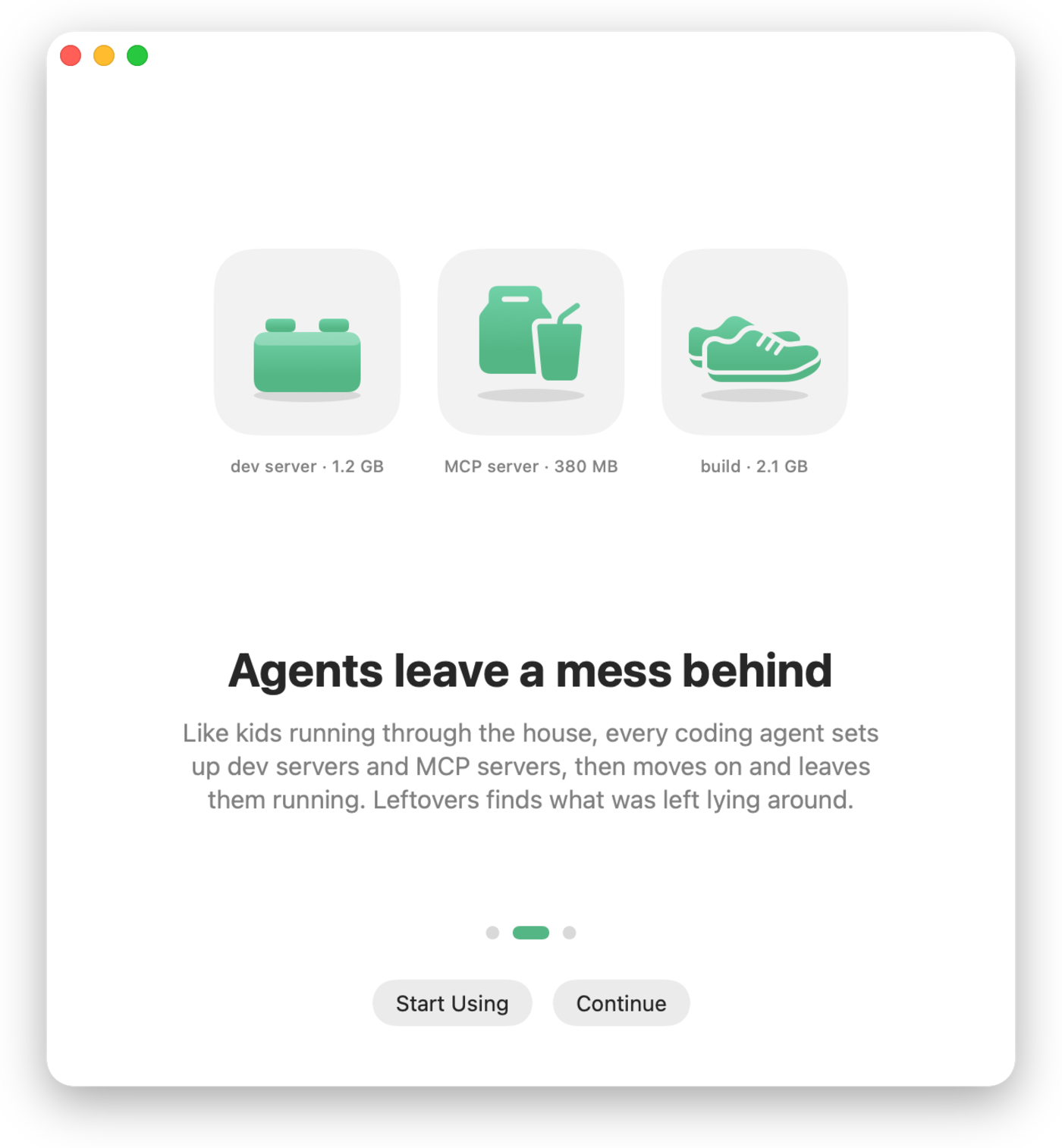
Leftovers welcome screen: blocks, takeout and shoes left on the floor, labelled dev server, MCP server and build

Everything in one menu-bar dial.

The needle shows memory in use. The menu shows what to do about it.

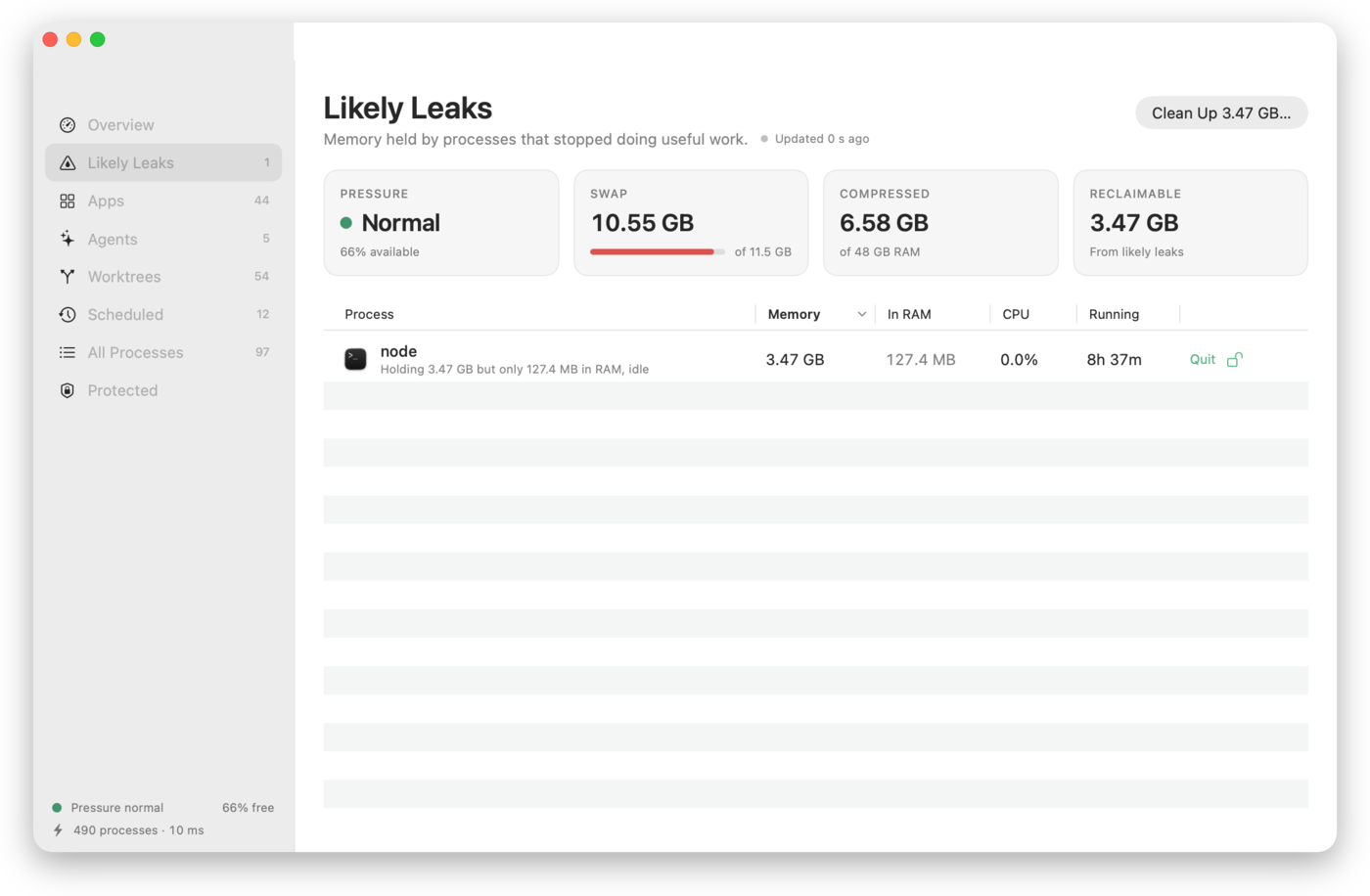
Likely leaks

Idle processes holding memory they don't use, each with a plain-language reason and a Quit button.

Apps, with their logos

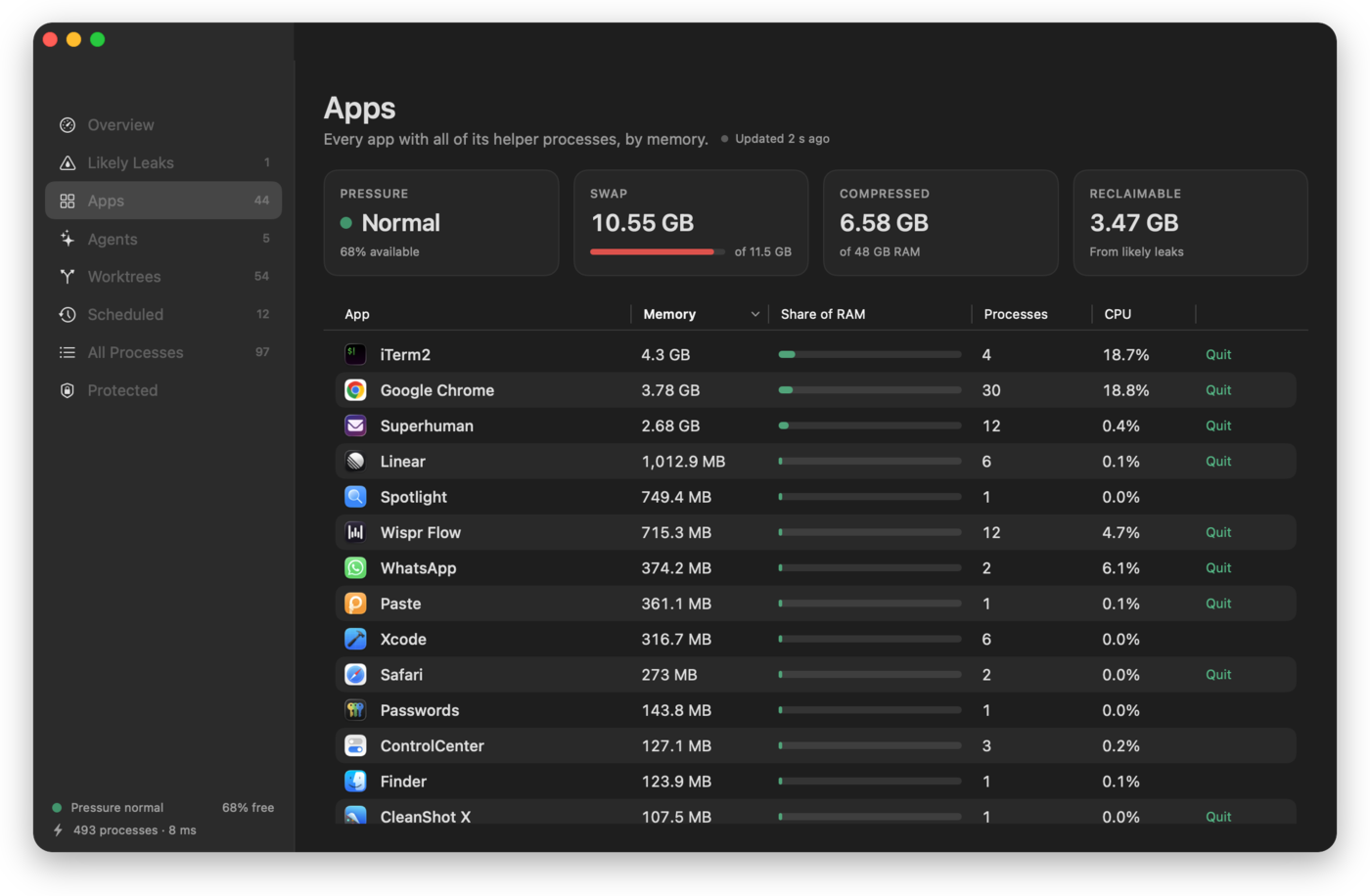
Every app with all of its helper processes added up, so the one hogging memory has a face.

Agents

Memory for each Claude Code, Codex, Gemini CLI, Cursor Agent, Aider or OpenCode session, and everything it started.

Worktree cleanup

Finds git worktrees whose work is already on main and removes them, one by one or all at once. Never ones with uncommitted work.

Scheduled jobs

Every background job with its schedule, next run and status, and which agent set it up.

One-step cleanup

Quit every likely leak at once, after a standard confirmation that lists what will stop.

Fast and light

Open to numbers in well under a second, and each refresh shows how long it took. About 22 MB and no CPU at idle.

Private

No accounts, no telemetry. The only network request is an update check you can turn off. Everything it reads stays on your Mac.

Likely Leaks view Apps view in dark mode

Every background job, including the ones your agents scheduled.

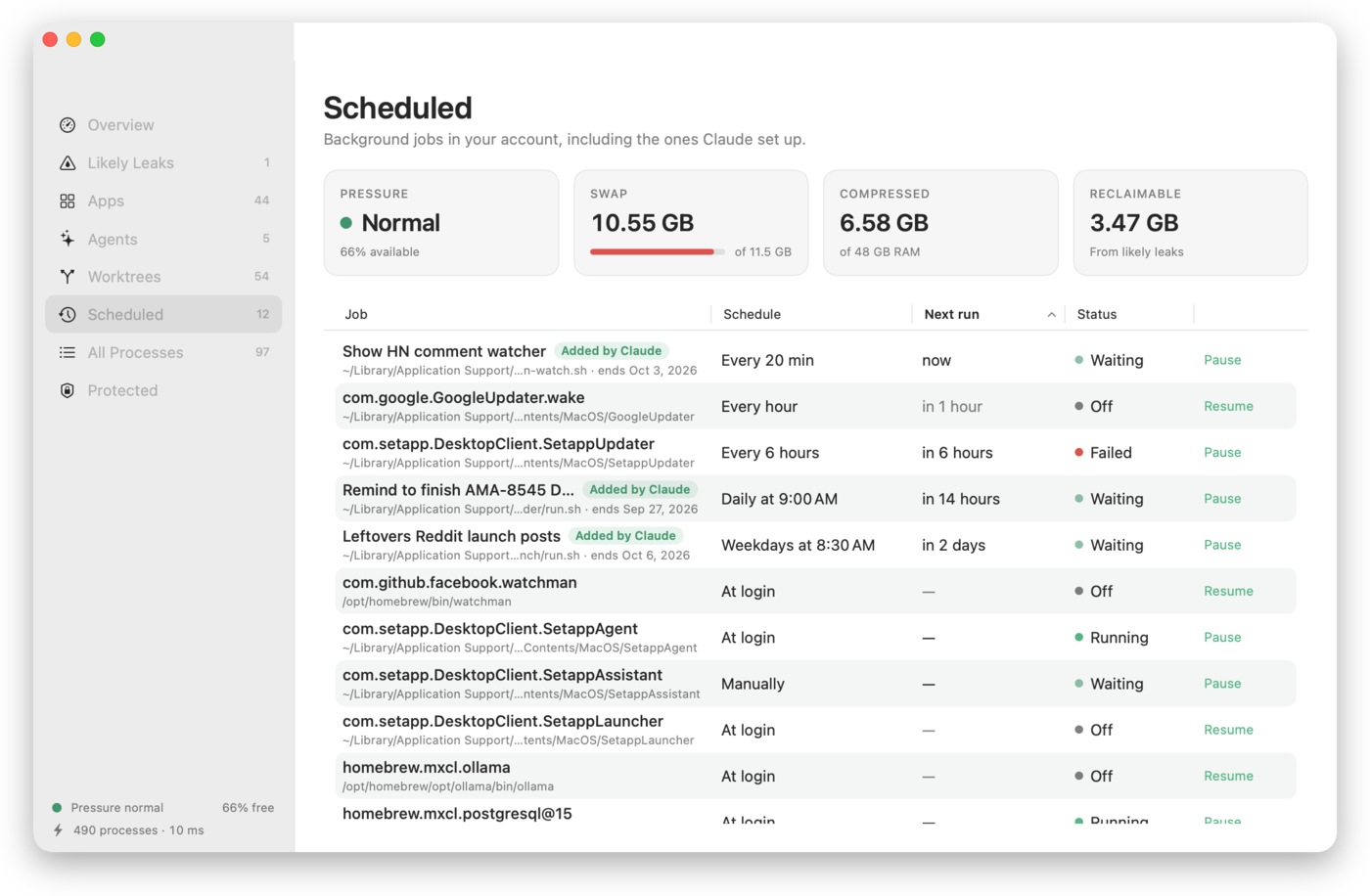
Agents don't just leave processes running. They schedule things: a watcher every 20 minutes, a script every morning. Leftovers lists every background job in your account with a schedule you can read, when it runs next, and whether it's working or failing.

  • Pause, resume or run a job now, open its log, or move it to the Trash
  • Jobs an agent created are labelled with what they're for and when they end
  • Failing jobs stand out: it found a broken updater on the first run
Scheduled view: background jobs with schedules, next run and status, two labelled Added by Claude

Built for agents, usable by agents.

The app is also a command-line tool with the same engine and the same safety rules, so an agent can check memory and clean up after itself.

# add the command once
ln -s /Applications/Leftovers.app/Contents/MacOS/Leftovers ~/.local/bin/leftovers

leftovers --report   # readable summary
leftovers --json     # likelyLeaks, agents, duplicateToolServers
leftovers --clean    # quit likely leaks; protected processes are refused
leftovers --jobs     # scheduled background jobs (add --json)

Agents that schedule a job can leave a one-line note in ~/Library/Application Support/Leftovers/jobs/<label>.json (purpose, creator, end date), and Leftovers labels the job with it.

Install

Download

Open the disk image and drag Leftovers to Applications. It's signed and notarized by Apple, so it opens without warnings.

Download for Mac

Homebrew

brew install --cask arpwal/tap/leftovers

Or build from source with Swift 6: swift build.

Free, and staying free.

No price, no account, no telemetry. If Leftovers gave you back a slow afternoon, a star on GitHub helps other people find it, and following along on X is how you'll hear what's next.